
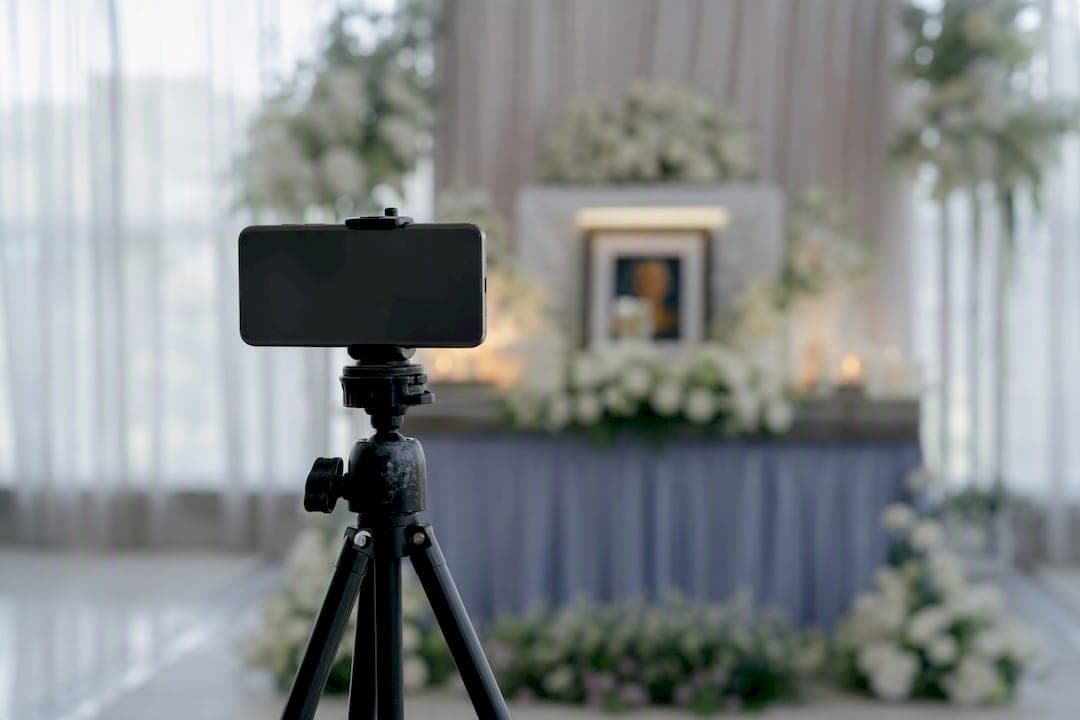
The most reliable funeral livestream setup is a single smartphone on a tripod, an external microphone, and a tested internet connection of at least 3 to 5 Mbps upload speed, run by one dedicated person who isn't grieving with the family. Audio clarity matters more than picture quality, so prioritize sound before anything else. Set your platform link to private or unlisted, and turn on recording if the family wants a copy for relatives who couldn't attend, as many providers keep recordings available for several weeks.
TL;DR:
- Reliable livestreaming chiefly requires a smartphone on a tripod, a good external microphone, and an internet upload speed of at least 3 to 5 Mbps tested at the camera location.
- Audio quality is critical; connecting directly to the venue's sound system or using a wired microphone ensures clear speech, while relying on phone mics leads to poor sound.
- Streaming at 1080p demands a minimum upload of 5 Mbps, with wired internet or bonded cellular devices as backup options for high-stakes services.
- Family and venue permissions are essential, with explicit agreements on what gets filmed or recorded, and private links or unlisted streams protect privacy.
- For large or complex services, hiring professional AV support ensures technical quality, privacy, and smooth operation, alleviating the burden on family members.
Table of Contents
- Building Your Funeral Livestream Setup: What Equipment You Actually Need
- What Internet Speed Do You Need to Livestream a Funeral?
- How Do You Get Clean Audio for a Funeral Livestream?
- Where Should You Place the Camera During a Funeral Service?
- Which Streaming Platform Protects Your Family's Privacy Best?
- A Step-by-Step Checklist for the Day of the Livestream
- What Do You Do When the Livestream Fails Mid-Service?
- Do You Need the Family's Permission to Livestream a Funeral?
- When Does It Make Sense to Hire Professional AV Help?
- Let Indian Life Memorial Handle the Technical Side for You
- Why Simple Setups Beat Ambitious Ones
Building Your Funeral Livestream Setup: What Equipment You Actually Need
You don't need broadcast gear to give a grieving family and their distant relatives a clear, dignified view of the service. Families who keep it simple often have fewer problems than those who try to run two cameras and a switcher with no one trained to operate them.
For a minimal, dependable kit, gather:
- A smartphone or tablet with a recent camera
- A sturdy tripod (a wobbly shot is distracting during a solemn moment)
- A charger or fully charged power bank, since streaming drains batteries fast
- One helper whose only job is watching the stream, not participating in the service
If you want to upgrade the experience, add:
- A lavalier or shotgun microphone to capture the officiant's voice clearly
- A second phone or camera as backup, or for a wider establishing shot
- A foam windshield for the mic if any part of the service happens outdoors
Each upgrade solves a specific viewer complaint. A second phone means you're not scrambling if the first one overheats or the battery dies mid-service. A lavalier mic means Grandma watching from another time zone can actually hear the eulogy instead of straining over room echo. Most families can borrow or rent this gear from a local camera shop rather than buying it outright.
What Internet Speed Do You Need to Livestream a Funeral?
Aim for at least 5 Mbps upload speed if you want 1080p video, or 3 Mbps upload for 720p, which still looks clear on most phones and laptops. The number that matters is upload speed, not download speed, and it has to be tested at the exact spot where the camera will sit, not in the parking lot or the lobby.
Run a speed test using a tool like Speedtest by Ookla or Fast.com on the device you'll use to stream, standing exactly where the tripod will go. Chapels with thick walls or basement-level function rooms often have weaker signal near the altar than near the entrance.
| Target Resolution | Minimum Upload Speed | Where to Test |
|---|---|---|
| 1080p (Full HD) | 5 Mbps | At the tripod position, not the lobby |
| 720p (HD) | 3 Mbps | At the tripod position, not the lobby |
If your test comes back under target, drop to 720p immediately rather than gambling on a stream that freezes mid-eulogy. A mobile hotspot on a different carrier than the venue's Wi-Fi is the simplest backup. For services where the stakes are high, such as a wake with dozens of remote family members overseas, a bonded cellular device that combines multiple carrier signals is worth the rental cost.
How Do You Get Clean Audio for a Funeral Livestream?
Audio problems ruin more livestreams than shaky video ever does, and remote viewers will forgive a slightly imperfect frame far sooner than they'll forgive not being able to hear the prayers.
Your first move should be asking the venue or funeral home's AV staff, well before the service, whether you can tap directly into their sound desk. A direct feed from the venue's own speaker system into your camera or recorder gives you studio-quality speech with none of the room echo a phone mic would pick up.
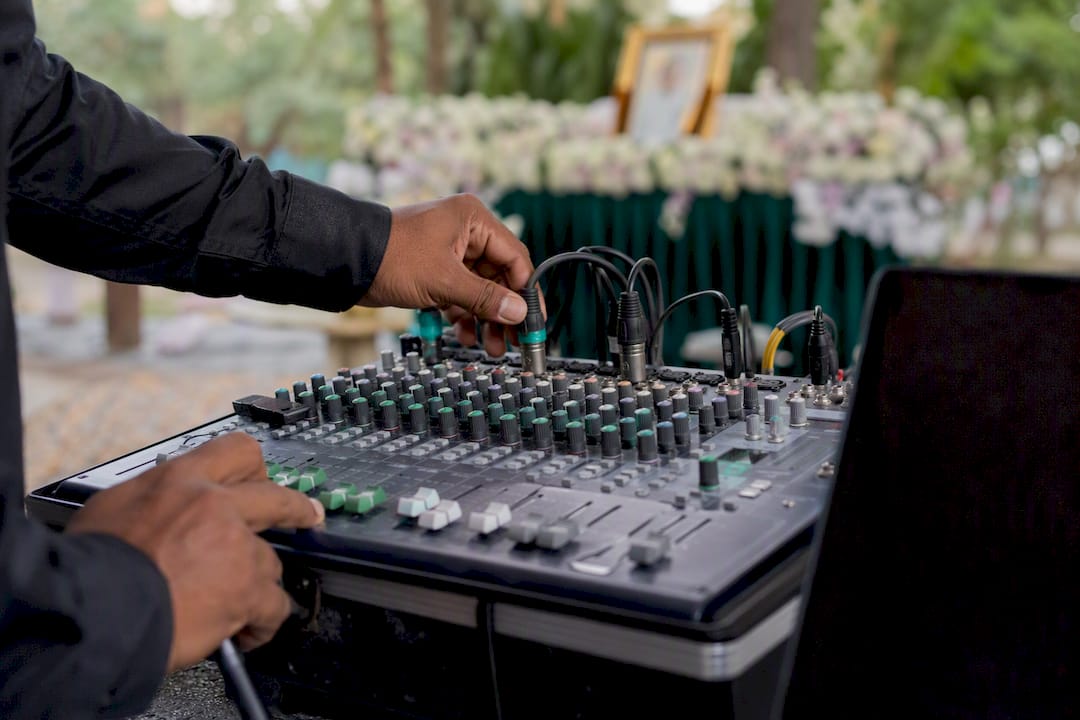
If no feed is available, your next best option is a wired lavalier clipped to the officiant, or a small shotgun mic aimed at the podium from a few feet away. Never rely on your phone's built-in mic from the back of a chapel. It will pick up shuffling feet and whispered condolences louder than the person speaking at the front.
Before the service starts:
- Put on headphones and listen live during rehearsal, not just after recording
- Watch for volume spikes when hymns or recorded music play
- Test the officiant's speaking voice separately from any music cues
- Pack a 3.5mm to USB-C or Lightning adapter, since most phones dropped the headphone jack years ago
Pro Tip: Bring two adapters, not one. If you're relying on a single lavalier-to-phone cable and it fails ten minutes before the service, you have no clean audio option left, and there's rarely a store open early enough to fix it.
Where Should You Place the Camera During a Funeral Service?
The camera belongs at the back of the room, centered, or slightly off to one side where it can capture the podium, the altar or casket, and the front rows without blocking anyone's view. A single stationary wide shot beats multiple moving cameras almost every time, since panning and zooming during a service reads as intrusive rather than helpful.
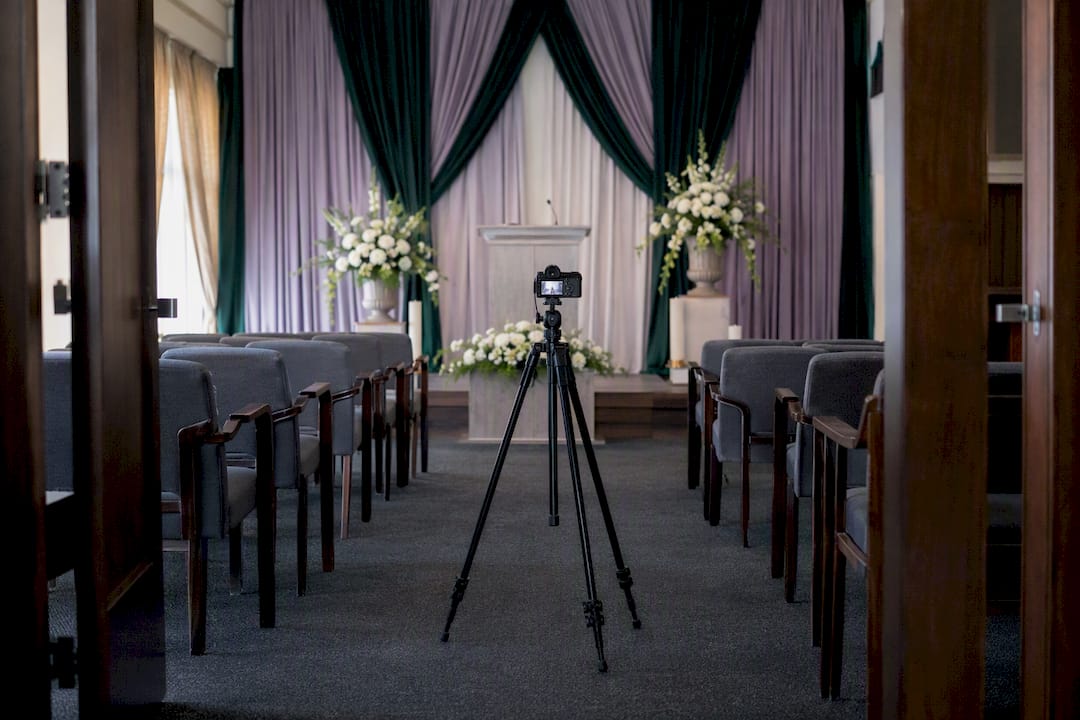
Lock the exposure and focus settings before the service starts so the camera doesn't hunt for focus every time someone walks past. Keep the tripod at roughly eye level and shoot in landscape orientation, since portrait video looks cramped on a laptop screen.
For graveside services, weigh down or tape the tripod legs against wind, and fit any external mic with a windscreen. Check the light at different times of day if the burial is scheduled for late afternoon, when long shadows can wash out faces. If a family member signals they'd rather not be on camera, reframe the shot immediately rather than waiting for a break.
Which Streaming Platform Protects Your Family's Privacy Best?
The right platform depends on whether you want remote guests to simply watch, or to actually participate.
Zoom and similar meeting platforms allow two-way interaction, so distant relatives can see each other and even speak briefly, but they carry time limits on free accounts and require more setup from guests who aren't tech-savvy. A private or unlisted YouTube stream, or a dedicated funeral webcast service, gives calmer one-way viewing that's easier for an elderly relative to click into from an email link.
Whichever you choose, lock down access with these steps:
- Password-protect the link rather than posting it publicly
- Use a waiting room or domain restriction if the platform supports it
- Share the link privately by email or text, never on open social media
Enable recording, whether cloud-based or local, so relatives who miss the live moment can watch later. Many platforms keep recordings available for playback for 30 to 90 days, so confirm the window and decide who receives the final file. DIY setups cost little beyond the gear you already own, while professional funeral webcast portals may charge a modest fee for privacy features, cloud storage, and live support during the service.
A Step-by-Step Checklist for the Day of the Livestream
Running the actual broadcast comes down to sequence. Skip a step under stress and you'll find out during the eulogy, not before.
- Visit the venue ahead of time. Test signal strength at the exact camera spot, and check how the room sounds and how it's lit at the service's scheduled time.
- Set up camera and audio early. Plug every device into power, switch on do-not-disturb, and disable auto-lock so the phone doesn't go dark mid-stream.
- Run a private test stream. Have an off-site contact join and confirm they can hear and see clearly, and that the privacy settings work as expected for other guests.
- Start the actual stream 5 to 10 minutes early. This gives remote guests time to settle in before anything begins.
- Monitor silently throughout. The tech lead should watch for issues without drawing attention.
- Stop and save only after the agreed finish time. Share the recording according to the family's wishes, whether that's a private link or a downloaded file sent directly to relatives.
What Do You Do When the Livestream Fails Mid-Service?
Have a plan before you need one. If audio cuts out, switch immediately to your backup mic or start a local recording, and send a short text to remote guests letting them know there's a brief pause. If video drops, lower the resolution to 720p, swap to your backup phone or a mobile hotspot, or restart the streaming device if it won't disrupt the room.
For access problems, work through this order:
- Confirm the link and password are correct and haven't expired
- Text the link directly to guests who report trouble
- Open a backup meeting room and message the new details immediately
Keep a printed running sheet and a prewritten update text ready. Fumbling for words while a family waits is worse than the technical problem itself.
Do You Need the Family's Permission to Livestream a Funeral?
Streaming a funeral is as much a permission decision as a technical one, and it needs to happen before any equipment gets set up. Consult the funeral director, the officiating clergy, and the venue itself early, since cultural or religious elements of the service may restrict filming entirely or limit which portions can be shown. Some Hindu rites, for instance, include moments considered too sacred or personal for a camera, and a knowledgeable priest can tell you exactly where those lines fall.
Get explicit agreement from the immediate family on what gets shown. Some relatives are comfortable with a wide shot of the casket and altar; others want the camera to stay off the casket entirely and focus only on the podium. Put this in writing, even if it's just a text message confirming what was discussed, so there's no confusion on the day.
Venue permission is separate from family permission. A hotel function room, temple hall, or crematorium chapel may have its own rules about recording equipment, tripod placement, or whether a direct audio feed from their sound system is allowed at all. Ask this question when you book the venue, not the morning of the service. If the venue restricts filming in certain areas, plan your camera position around that restriction rather than around the ideal shot.
Finally, decide who has access to the recording afterward and for how long. A recording meant only for family shouldn't end up on a public platform where a service that took a lot of planning to keep dignified suddenly becomes searchable by strangers.
When Does It Make Sense to Hire Professional AV Help?
Some situations call for more than a DIY kit and a willing relative. Large services, multi-location wakes, venues with weak signal, or families who simply cannot spare anyone from mourning duties benefit from professional support. A funeral provider handling AV brings venue permissions already sorted, a direct feed from the sound desk, live stream monitoring, privacy management, and recording distribution handled for you. Compassionate, multi-faith providers who offer transparent pricing and round-the-clock availability exist precisely for families who'd rather focus on each other than a tripod.
Let Indian Life Memorial Handle the Technical Side for You
If reading through tripod placement, mic adapters, and backup hotspots feels like one more thing on a day already full of grief, that's exactly the gap Indian Life Memorial exists to close. We build livestream capability into our full-service funeral arrangements, so your family never has to assign a relative as the tech lead during a wake or Vedic ceremony.

Every arrangement includes transparent, upfront pricing with packages starting at $1,888 and no hidden fees, culturally sensitive rites led by experienced priests for Hindu and Indian families, and AV-capable setups managed by our team rather than yours. We're available 24/7, so whether you're arranging a service on short notice or planning ahead, you can request a quick venue check or a full consultation without adding another task to your own list. Reach out to us and let us confirm the connection, the audio, and the privacy settings, so your only job on the day is being present with your family.
Why Simple Setups Beat Ambitious Ones
The instinct to make a funeral livestream feel more polished, more produced, more like a real broadcast, usually backfires. Families who try to run multiple cameras, a switcher, and live graphics without anyone trained to operate that gear tend to have worse outcomes than families who point one phone at the room and get the audio right.
That's the part conventional advice undersells. Most guides list gear like a shopping catalog and imply that more equipment equals a better stream. It doesn't. A single wide shot with clear sound will always beat a multi-camera setup with muddy audio, because remote viewers are there to hear the eulogy and the prayers, not to admire the production value. Every dollar and every minute of prep time should go toward audio first, connection second, and only then toward anything resembling polish.
The permission conversation gets skipped more often than it should, too. Technical checklists are everywhere online, but the harder, more important step, sitting down with clergy and family to agree on what gets filmed and shown, rarely gets the same attention. That conversation should happen days before the tripod comes out of the closet, not minutes before.
— Admin